MISSIONARYCONNECT HELP CENTER

Help that gets your church back to missions fast.

Choose your role, find the task, and follow short, visual steps built for pastors, staff, and church volunteers. No giant manual. No technical maze.

What are you trying to do?

Admin Track

Manage missionaries, prayer letters, photos, videos, roles, display settings, approvals, security controls, and advanced integrations.

Presenter / Volunteer Track

Launch MissionaryConnect, use Globe, Flat Map, and Card View, open missionary profiles, recover from common issues, and keep the kiosk ready on Sunday.

Sunday morning? Start here.

Turn it on. Check the internet. Launch MissionaryConnect. Test one missionary. Leave it ready. That is the whole Sunday-morning workflow.

Popular Help Topics

Add or Connect a Missionary

Use Missionary Finder or add a supported missionary, then verify the profile is ready for your church.

Update Prayer Letters & Media

Keep prayer letters, photos, videos, testimony, and profile details fresh without overwhelming volunteers.

Launch Kiosk Mode

Get the touchscreen into the clean, church-ready presentation experience and recover quickly if browser controls appear.

Use Globe, Flat Map & Card View

Show missionaries in the visual format that fits your church and event, then tap a missionary to go deeper.

Roles, Permissions & Security

Give the right people the right access and use sensitive-worker protections when identity or location must be restricted.

Troubleshoot the Display

Touchscreen not responding? Updates missing? Browser bars visible? Start with the symptom and take the simplest fix first.

Learn MissionaryConnect the way your church uses it

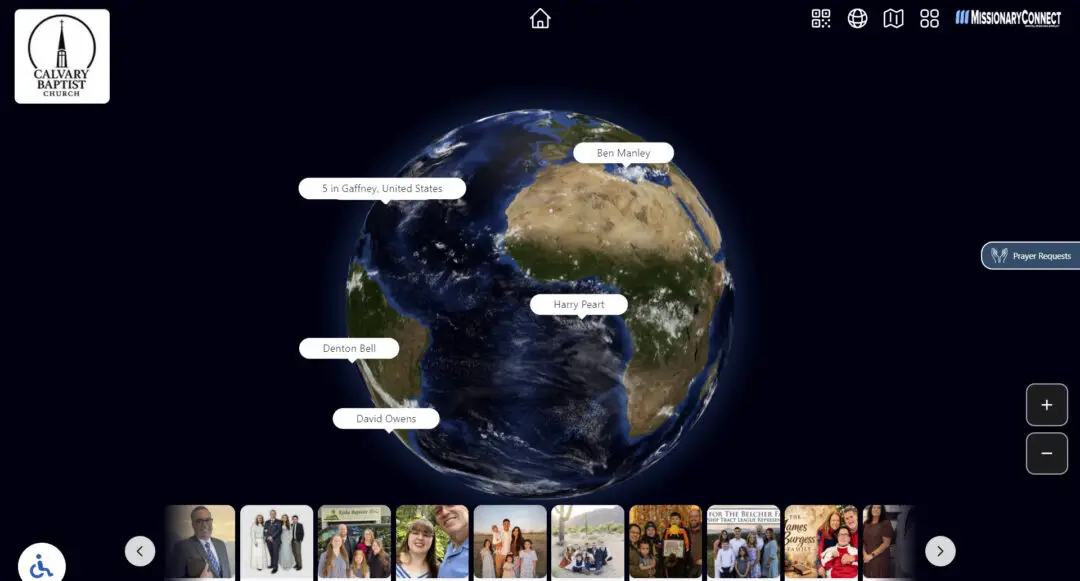
MissionaryConnect interactive globe primary touchscreen view
Globe View
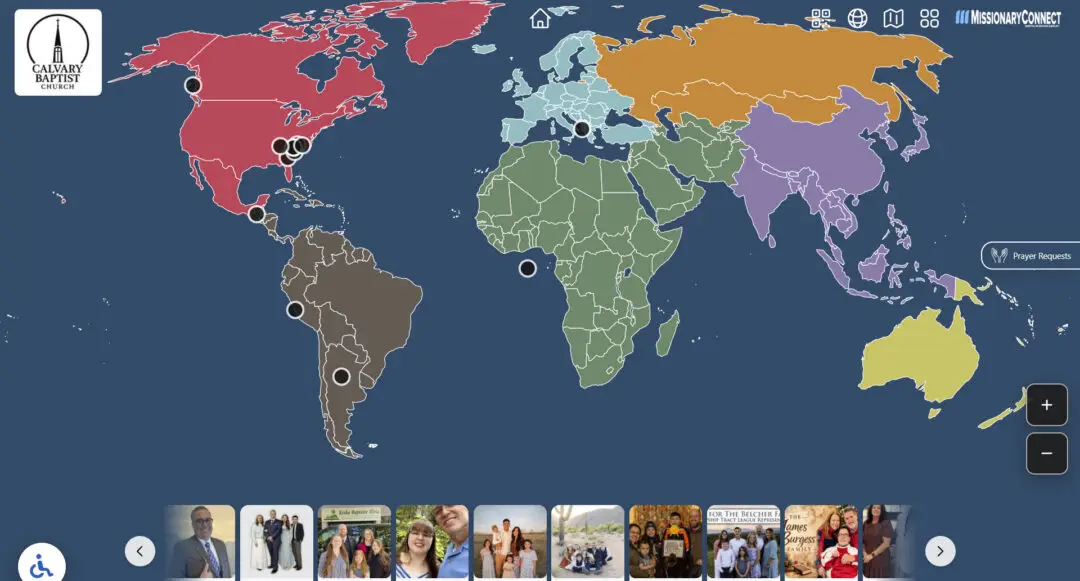
MissionaryConnect interactive flat map primary touchscreen view
Flat Map View
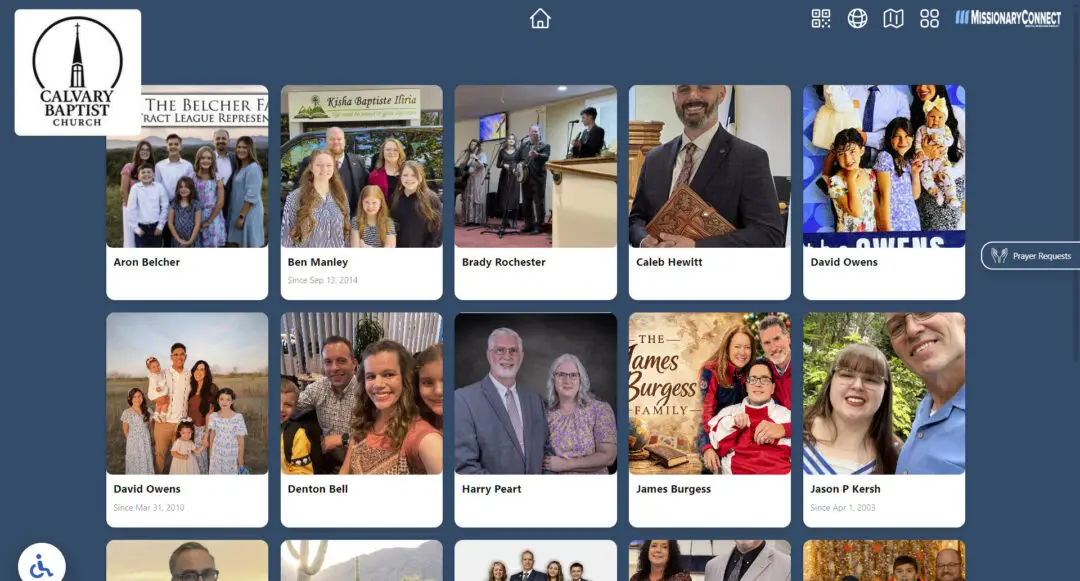
MissionaryConnect bonus missionary card browsing view
Card View

Physical Setup Matters Too

The manual will show the actual kiosk, display, and device context, not just screenshots. Volunteers should be able to match what they see in the church foyer to what they see in the guide.

Kiosk - Globe View
missionaryconnect software on a 32 android device flat map view
Kiosk - Flat Map
missionaryconnect software on 32 android kiosk stand card view
Kiosk - Card View

Still stuck? We want the display serving the ministry, not becoming the ministry.

Use the troubleshooting guide first. If the problem remains, contact Digital Missions Display and tell us exactly what you see on the screen.